Your private AI agent. Your routine work, handled.
Describe a job once: a reminder, a schedule, a client update, or a workflow unique to your business. Tuckloom runs it on your Mac, using your email, documents and calendar, and asks before anything goes out.
For freelancers, consultants, accountants, small firms and busy families: anyone who has thought “I shouldn't upload this.”
 Email, files, calendar, tasks
Woven into work, on your Mac
Routine work eats your week. The AI that could help needs your data.
Chasing invoices, sending reminders, updating clients, keeping track of what's due: the same jobs every week, scattered across email, files and calendars.
The same jobs, every week
Most of this week's admin is last week's admin again: find the details, write the update, chase the payment, set the reminder.
Cloud AI can help, at a cost
Today's AI assistants can schedule tasks and connect to your email. To do it, your inbox, files and calendar are processed on their servers.
For client work, that's a line
Accountants, consultants and small firms hold information they've promised to protect. Uploading it often isn't an option, so the work stays manual.
An agent that does the job, not just the chat.
Describe it once. It runs every time.
Turn any routine job into a workflow that runs on a schedule. You don't have to remember to ask, or explain it again.
It does the work. You approve.
It gathers what it needs and prepares the draft, reminder or calendar entry, then waits for your OK.
It all happens on your Mac.
The AI runs on your own computer, next to your files, email and calendar. Nothing is uploaded for AI processing.
See it running in the preview
Real screens from the preview build, with made-up sample data.
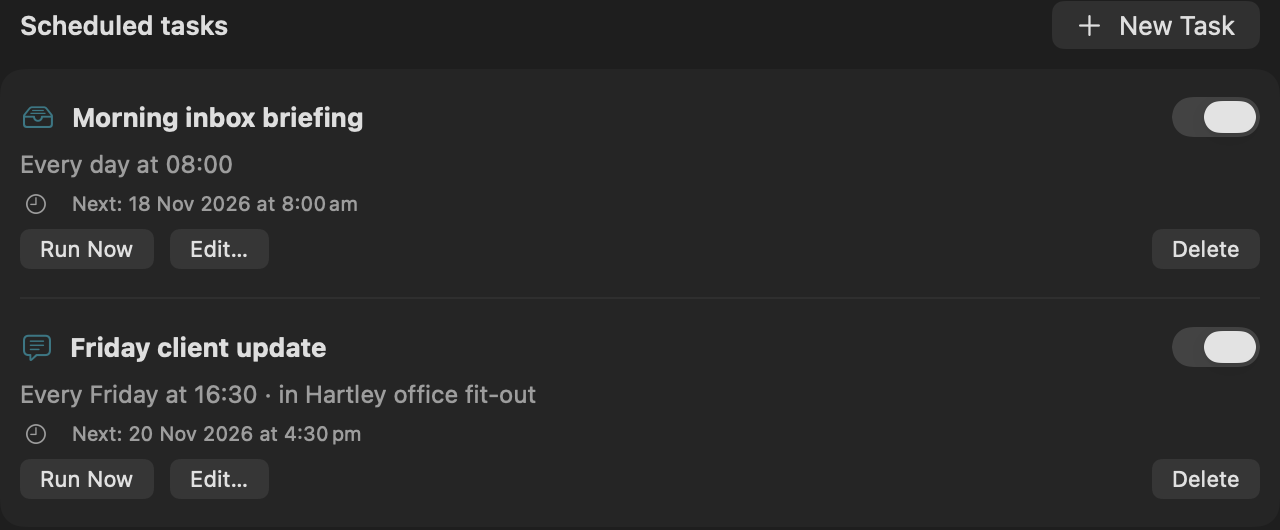
Ask once. Every Friday, the update is waiting.
Here is a real job from the preview: the weekly client update, the kind of task that means digging through a week of email and notes.
Swipe through the three steps →
You describe it once
It runs on schedule
Being testedReal screen. The job uses the client's project: its files, instructions and memory.
A draft waits for you
IllustrationProgress: electrical rough-in finished Wednesday. Email · Tue
Risk: furniture delivery moved to the 28th. Supplier email
Open: confirm the handover date. Notes.md
Nothing is sent until you click.
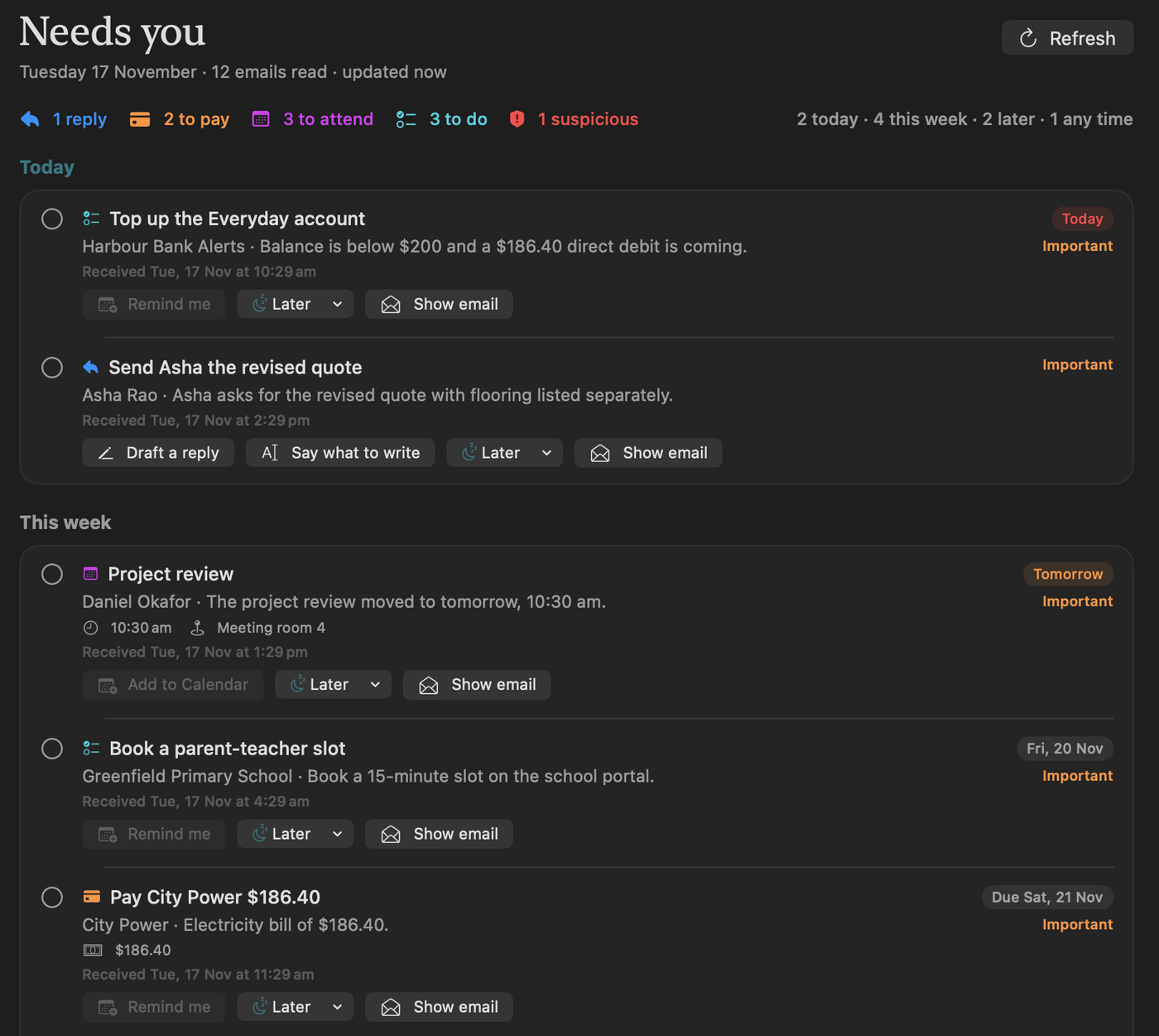
Another one: “Each morning, show what needs my attention.” New email is summarised into replies you owe, bills, and meetings that moved, with the message behind each item.
Or teach it your own
Examples of jobs people describe to us. Some rely on connections still being tested; the roadmap below shows what works today.
ChatGPT is great. Tuckloom keeps your work on your Mac.
ChatGPT can now schedule tasks, remember you and connect to your email. Use it for open questions and anything you're happy to share. Use Tuckloom for routine work with information you can't send away.
Where ChatGPT is still better: it runs much larger models in the cloud, so it knows more about the world, handles open-ended questions and research better, and works on any device. Many people will use both.
Stop repeating yourself to AI.
Tell Tuckloom once how you like things done. It remembers, on your Mac.
Your style, saved
Say who you are and how you like answers, like “short, British spelling”. Every chat starts with it.
Works todayA workspace per client
Each project keeps its own files, instructions and a running memory of past chats. Answers use the right client's context.
Works todayJobs you reuse
Turn a request into a job and run it again, or on a schedule. Your weekly report comes out in your format every time.
Being testedPrivate by how it's built, not by a promise.
Your email and document content is processed on your Mac. Tuckloom doesn't upload it to our servers for AI processing. See exactly what goes online.
The AI runs on your Mac
The model works on your own chip. Your questions, files and email aren't sent to an AI company.
Works offline
After the one-time model download, it works with the internet off. Email sync and optional web search are the exceptions.
Asks before acting
Sending, booking or sharing anything waits for your click, every time.
You stay in control
No account to use the app and no analytics in it. Sign-ins stay in your Mac's Keychain, and you can disconnect Google at any time.
Built, measured, and growing.
Measured on a MacBook Pro (M2 Pro, 32 GB) with the internet off, using the suggested model. Where this leads: an agent that quietly works through your routine jobs in the background, all day, so your mornings start with the admin already done and nothing of yours has left your Mac.
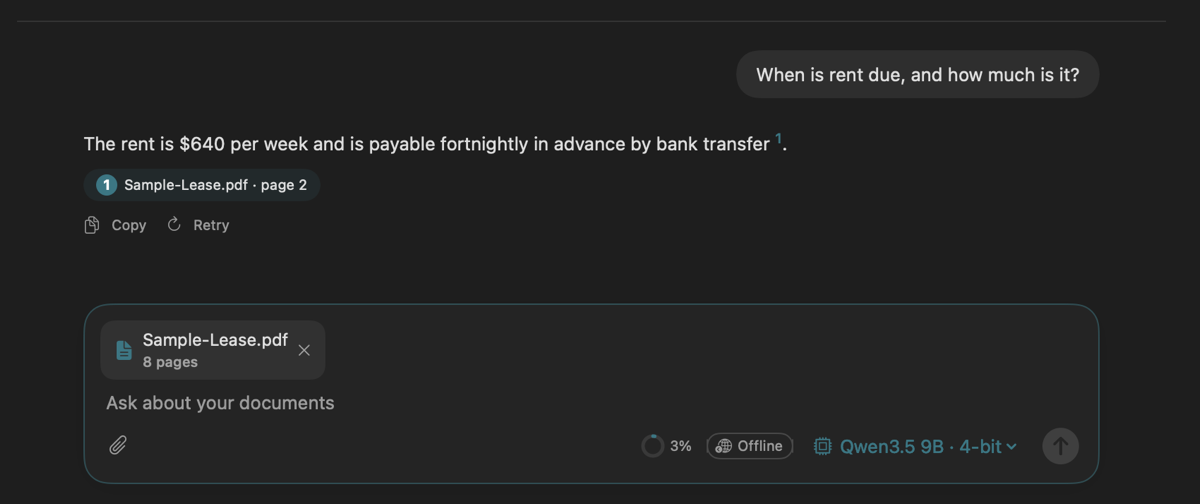
- Answers from your documents, with the exact page
- Reads scans, tables and two-column pages
- Your saved style and a workspace per client
- Choose your AI model
- Inbox briefing: what needs you
- Jobs on a schedule
- Gmail and Google Calendar
- Exact totals from bank statements
- Jobs that run even when the app is closed
- Edit what Tuckloom remembers
- Exports for reports and updates
- Paid pilot with small firms
A private agent for every person and small business: any workflow you can describe, connected to the tools you already use, shared across a team, with each person's data kept on their own Mac.

Parteek Slathia
Founder · AI Engineer
I started Tuckloom because I wanted AI to help with my private work while keeping the data on my own computer.
I'm building an assistant that understands your emails and documents, handles repetitive tasks, and takes very little effort to use.
I'm working with early users and advisers to shape it around the jobs they want help with most.
Connect on LinkedInBuilding the next stage of Tuckloom
We're developing a private AI agent that turns your work context into useful, repeatable workflows, from personal reminders to business-specific processes. We're speaking with early users, technical advisers, and investors interested in on-device AI.
Request the investor overviewOr email hello@tuckloom.com
Try it first, and help shape it.
We're inviting a small group to use the preview on their own email and documents, and tell us what works.
You'll need a Mac with Apple silicon (M1 or newer), macOS 15 or newer, and a one-time download of 2–6 GB. After that, it works offline.
What happens next: we'll email you when a preview spot opens, with a download link and a short setup guide. One email per update, nothing else.
What repetitive job would you give Tuckloom? Tell us. Every idea is read.
Good to know.
What goes online, exactly?
Reading, answering and drafting happen on your Mac. These connect to the internet: the one-time model download and app updates; email sync, which talks to your email provider (Google) the same way any mail app does; and web search, which is off until you turn it on and sends only the search words. Signing up on this website stores your email with our sign-up service, separately from the app.
Who can see my data?
Your email and documents are stored and processed on your Mac. We don't run a server that receives them. Anyone with access to your Mac, its backups, or cloud-synced folders you already use (like iCloud Drive) can still reach copies, so the usual Mac security applies.
How do I contact you?
Email hello@tuckloom.com with questions about privacy, your data, or the preview. To stop hearing from us, reply to any email or write to the same address and we'll remove you.
How do I disconnect Google or delete my data?
Disconnect Google from the app's Plugins page at any time. Everything the app keeps is in one folder you can open from Settings; deleting that folder and the app removes your chats, files and saved settings from the Mac.
Which Macs does it run on?
Macs with Apple silicon (M1 or newer) on macOS 15 or newer. With 16 GB of memory you get the smarter model; 8 GB works with a lighter, faster one.
Can I choose the AI model?
Yes. Most people never need to change the suggested model. If you have a high-end Mac, you can switch to a larger, frontier-class model with one click, and it still runs on your Mac.
What will it cost?
The preview is free. We'll ask early users what feels fair before we set a price.